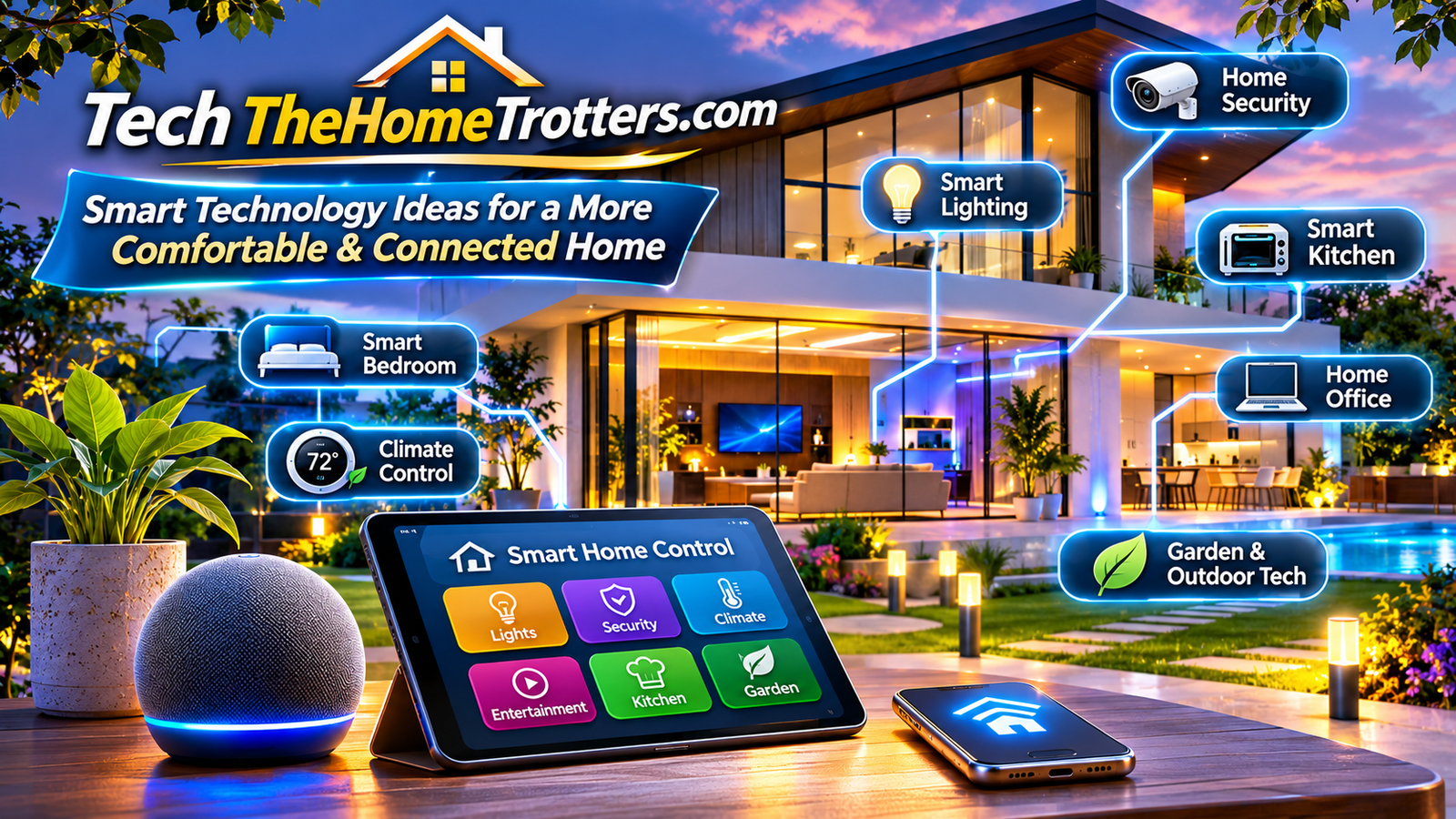
Technology has changed the way people manage their homes. From controlling lights with a smartphone to checking security cameras while away, modern devices make everyday tasks easier and give homeowners more control over their surroundings. The right technology can improve comfort, save time, and help create a more organized living space.
For readers exploring tech thehometrotters.com, the most useful starting point is understanding how technology can solve real household problems. A home does not need dozens of expensive gadgets to become smarter. A few carefully selected devices can make a noticeable difference.
The ideas behind tech thehometrotters.com are worth considering through a practical lens: choose devices that fit your lifestyle, understand what they can do, and avoid buying products simply because they look impressive. This guide explores ten areas where modern technology can improve everyday home life.
1. Build a Smarter Living Room
The living room is often the busiest shared space in a home. Family members use it to watch television, relax, entertain guests, and spend time together. Technology can make this room more comfortable without turning it into a complicated entertainment center.
A smart television is a useful starting point. It can bring streaming platforms, online videos, music, and other digital services into one place. Pairing it with a wireless speaker or soundbar can also improve the viewing experience. When exploring tech thehometrotters.com, consider how entertainment devices can work together rather than purchasing separate products without a clear purpose.
Smart lighting is another practical addition. Some bulbs allow users to adjust brightness and colour through an app or voice assistant. You can create brighter lighting for reading and softer lighting for movie nights.
The goal of tech thehometrotters.com should be to make the room easier to use. Before purchasing anything, check device compatibility, internet requirements, and whether family members can operate the controls comfortably.
2. Make the Bedroom More Comfortable
A bedroom should support rest and relaxation. Technology can help create a comfortable environment, but it should be selected carefully. Too many screens, notifications, and connected devices can make a peaceful room feel distracting.
Start with simple improvements. A smart bulb can provide adjustable lighting, while a digital alarm clock can offer a convenient way to manage wake-up times. Some smart plugs can also schedule compatible lamps to switch on or off automatically.
Ideas associated with tech thehometrotters.com can help homeowners think about convenience in smaller spaces. For example, a bedside charging station can reduce cable clutter and keep essential devices organized. A temperature monitor may also help you understand whether your room becomes too warm or cold during the night.
When considering tech thehometrotters.com recommendations, focus on products that support your existing routine. A useful bedroom device should make something easier, not create another task that needs daily attention.
3. Bring Practical Technology into the Kitchen
The kitchen is one of the best places to use technology because many household activities happen there every day. Cooking, food storage, cleaning, and meal planning can all benefit from well-chosen devices.
Smart kitchen appliances may include connected refrigerators, programmable ovens, digital thermometers, and app-controlled cooking equipment. However, traditional appliances can still be the better choice when they are reliable, affordable, and simple to maintain.
A digital kitchen scale is a small but useful example. It helps measure ingredients accurately for cooking and baking. A programmable timer can prevent food from being forgotten, while a compact food processor can reduce preparation time.
For anyone researching tech thehometrotters.com, it is important to compare features with actual kitchen needs. A connected appliance is only valuable when its extra functions are useful in daily life.
The practical approach behind tech thehometrotters.com is to look for technology that saves effort, improves consistency, or helps reduce unnecessary waste. Check energy ratings, cleaning requirements, replacement parts, and warranty conditions before buying.
Read more: SosoActive.com: 10 Powerful Reasons to Explore Its Digital Magazine and Online Content
4. Create a Productive Home Office
Remote work, online education, freelancing, and digital businesses have made home offices increasingly important. A comfortable workspace can improve concentration and make long working hours easier to manage.
A reliable laptop or desktop computer is usually the foundation. Add a suitable monitor, comfortable keyboard, mouse, and supportive chair according to your budget. Good lighting is also important, especially if you spend several hours reading or working on a screen.
Tech thehometrotters.com can be a useful keyword to explore when considering how technology fits into a productive home environment. Cable organizers, laptop stands, wireless headphones, and external storage devices are examples of accessories that can improve organization.
Internet reliability matters just as much as the equipment itself. If your connection frequently drops, consider improving router placement or exploring a compatible network extender.
The best tech thehometrotters.com approach is to upgrade the weakest part of your setup first. Buying an expensive monitor will not solve problems caused by an unreliable internet connection or an uncomfortable chair.
5. Improve Bathroom Convenience
Bathrooms are often overlooked when people discuss smart home technology. Yet a few carefully selected products can improve convenience and support better household routines.
Digital bathroom scales provide weight measurements, while humidity sensors can help identify moisture levels. Some mirrors include integrated lighting or anti-fog functions. Automatic lighting can also be useful during nighttime visits, provided the installation is suitable for the environment.
When looking at tech thehometrotters.com ideas for bathrooms, safety should always come first. Water and electricity require careful handling. Choose products designed for bathroom conditions and follow the manufacturer’s installation instructions.
Avoid placing ordinary electronic devices close to water sources. Do not attempt electrical installation yourself if you lack the necessary knowledge or qualifications.
A practical tech thehometrotters.com plan for this space should prioritize safety, easy cleaning, and dependable operation. Decorative features are less important than products that are suitable for a humid environment.
6. Manage Indoor Air and Temperature
Indoor comfort depends on more than furniture and decoration. Air quality, humidity, ventilation, and temperature can all affect how comfortable a room feels.
A digital thermometer and humidity monitor can help you understand indoor conditions. Air purifiers may be useful in spaces where airborne particles are a concern, but their performance depends on room size, filter quality, and correct maintenance.
The Environmental Protection Agency provides useful information about indoor air quality, including common sources of indoor pollution and practical ways to improve the environment.
For people interested in tech thehometrotters.com, this is an area where simple monitoring devices can provide useful information. You can use their readings to decide when ventilation, cleaning, or other improvements may be needed.
Technology should support good household habits. Even a capable air purifier cannot replace regular cleaning, appropriate ventilation, or fixing the source of a moisture problem. A thoughtful tech thehometrotters.com setup combines suitable devices with sensible maintenance.
7. Make Gardens and Balconies Easier to Maintain
Outdoor spaces can benefit from technology too. Whether you have a large garden, a small balcony, or a collection of indoor plants near a window, simple devices can make maintenance easier.
A soil moisture meter can help you check whether plants need watering. Some irrigation timers can automatically manage watering schedules, while outdoor smart lights can make pathways and seating areas more convenient to use.
Before installing outdoor equipment, check its weather resistance and power requirements. Products designed for indoor use may not be suitable for rain, dust, or direct sunlight.
Tech thehometrotters.com ideas can help you think about technology beyond the main rooms of your home. For example, a basic watering timer may be more useful than a complicated connected gardening system if you only have a few plants.
The most effective tech thehometrotters.com choices are those that match the size of your outdoor space. Start with one clear problem, such as irregular watering or poor nighttime lighting, and choose a device that addresses it.
8. Strengthen Home Security
Home security is an important reason many homeowners consider connected devices. Smart cameras, video doorbells, motion sensors, and door sensors can provide additional information about activity around a property.
Some systems allow users to receive notifications on their phones when movement is detected. Others provide recorded footage or let homeowners view a live camera feed. However, features and storage options vary between brands.
Anyone exploring tech thehometrotters.com security ideas should pay attention to privacy and account protection. Use strong, unique passwords and enable multi-factor authentication wherever it is available. Keep device software updated and review who has access to camera feeds.
The Cybersecurity and Infrastructure Security Agency offers practical advice through its Secure Our World initiative. Its guidance can help users build safer digital habits.
A reliable tech thehometrotters.com security plan should also include basic physical precautions. Good locks, suitable outdoor lighting, and secure doors remain important. Connected devices can support these measures, but they should not be treated as a complete replacement for them.
9. Connect Devices Through Home Automation
Home automation allows compatible devices to perform tasks according to schedules, settings, or user commands. For example, a smart plug may switch a lamp on at a particular time, while a compatible thermostat can follow a heating or cooling schedule.
The main advantage is convenience. Instead of controlling every device separately, users can create routines that combine several actions. A morning routine might switch on selected lights and start a compatible appliance.
When researching tech thehometrotters.com, check whether devices support the same ecosystem or communication standards. Compatibility can determine whether products work together smoothly.
Do not assume that every smart device will connect to every app or voice assistant. Read product specifications and check the manufacturer’s compatibility list before purchasing.
A good tech thehometrotters.com automation setup should remain easy to control manually. If the internet stops working or an app becomes unavailable, you should still be able to operate essential household equipment safely.
10. Choose Technology That Saves Energy
Energy consumption is another important factor when upgrading a home. Technology can help users understand electricity use and manage certain appliances more efficiently.
Smart plugs with energy monitoring features may show how much electricity a connected device consumes. Programmable thermostats can help manage heating and cooling schedules, while LED bulbs generally use less electricity than traditional incandescent bulbs.
However, savings depend on how products are used, their specifications, and local electricity costs. A smart device does not automatically reduce energy consumption simply because it connects to the internet.
Tech thehometrotters.com readers should compare the purchase price with possible long-term benefits. Look at energy ratings, standby consumption, maintenance costs, and expected product lifespan.
For a more useful tech thehometrotters.com upgrade, begin with devices that consume electricity regularly. Understanding which appliances use the most power can help you decide where an improvement may have the greatest impact.
How to Choose the Right Smart Home Devices
Buying technology without a plan can lead to wasted money and unnecessary complexity. Before choosing a product, think about the problem you want to solve.
Use these questions as a starting point:
- What task will the device improve? Choose a product with a clear everyday purpose.
- Will it work with your existing equipment? Check operating systems, apps, hubs, and communication standards.
- Does it require a subscription? Some cameras and connected services charge additional fees.
- Is it easy to maintain? Consider batteries, filters, updates, and replacement parts.
- Is it secure? Review privacy settings, account protection, and software support.
- Does it fit your budget? Include installation and ongoing costs, not just the advertised price.
These checks make tech thehometrotters.com research more practical. They also help prevent impulse purchases that look attractive but offer little value.
Common Smart Home Technology Mistakes to Avoid
Even useful technology can become frustrating when it is poorly selected or installed. A few common mistakes are worth avoiding.
Buying too many devices at once: Start with one or two products and learn how they work before expanding your setup.
Ignoring compatibility: A device may have excellent features but still fail to connect with your existing system.
Overlooking privacy: Review permissions, passwords, account access, and software updates regularly.
Choosing features over reliability: A simple product that works consistently can be more useful than an advanced device with unreliable performance.
Forgetting maintenance: Filters, batteries, firmware, and other components may need regular attention.
Following these precautions makes tech thehometrotters.com decisions easier to manage. It also helps keep the home technology setup useful over time rather than turning it into a collection of devices that rarely get used.
Read more: Brazilian Retail Giant Partners With Blockchain Payment Service Airfox
Frequently Asked Questions
1. What is tech thehometrotters.com about?
The keyword tech thehometrotters.com is associated with home technology topics in this article, including smart devices, connected living spaces, home automation, security, and practical technology upgrades.
2. Which smart home device should beginners buy first?
A smart bulb or compatible smart plug can be a simple starting point. Both can introduce basic automation without requiring a major home renovation.
3. Is smart home technology expensive?
It can be expensive, but it does not have to be. Many useful upgrades are available at different price levels. Start with devices that solve a genuine problem and fit your budget.
4. Does smart home technology need the internet?
Some connected features require an internet connection, especially remote access and cloud services. Other devices may offer local controls or basic functions without continuous internet access. Check the product specifications before purchasing.
5. How can I protect smart home devices?
Use strong passwords, enable multi-factor authentication, install software updates, and secure your home Wi-Fi network. Avoid sharing device access with people who do not need it.
6. Can smart devices help reduce electricity use?
Some devices can help monitor or manage energy consumption. Actual savings depend on the appliance, usage patterns, settings, and electricity rates.
7. How do I avoid buying incompatible devices?
Check the manufacturer’s compatibility information before purchasing. Confirm that the device supports your existing phone, operating system, smart home hub, or preferred voice assistant.
Final Thoughts
A modern home does not need to be filled with expensive gadgets to benefit from technology. The best improvements often come from solving small, everyday problems: better lighting, easier meal preparation, improved organization, reliable security, and more comfortable working spaces.
The ideas explored through tech thehometrotters.com show how different rooms can benefit from practical upgrades. Each device should have a clear purpose and fit the way people actually use their homes.
Start with one area that needs improvement. Compare a few suitable products, read their specifications, and consider their long-term costs. As your needs change, you can gradually expand your setup.
Ultimately, tech thehometrotters.com is a useful focus for exploring the relationship between modern technology and everyday home life. A thoughtful approach can make a home more convenient, organized, and comfortable without making daily routines unnecessarily complicated.
